 Apex
The month in a sentence
“You kept $3,844 of what you earned in September.” Then what changed since last month, and a four-card recap you can share.
Apex reads the statements you download from your bank and card, sorts every transaction, and tells you how the month went in a sentence. It all happens on your iPhone, iPad or Mac. No account, no bank login, nothing uploaded.
iPhone and iPad with iOS 26 or later · Mac with macOS 26 or later
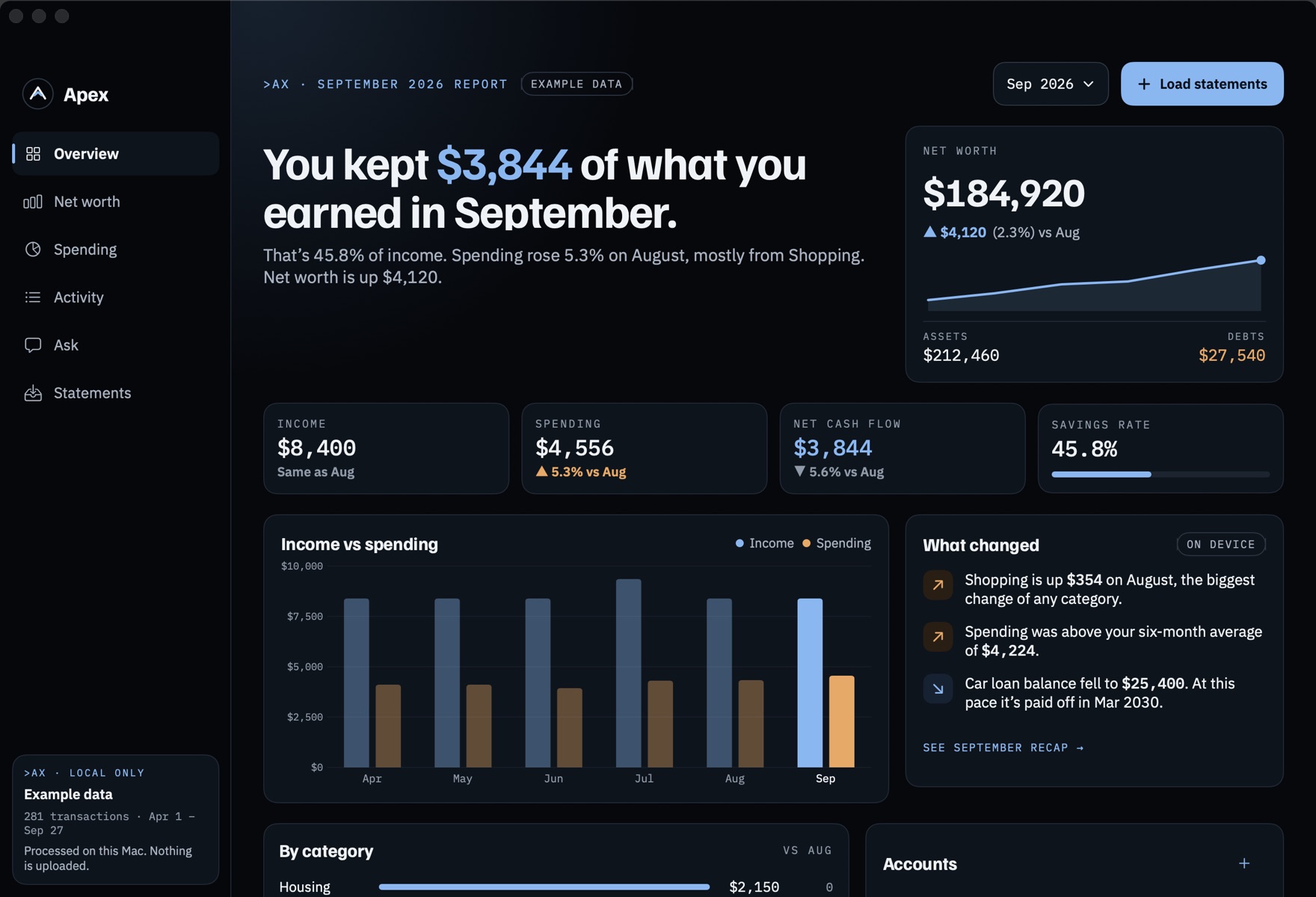
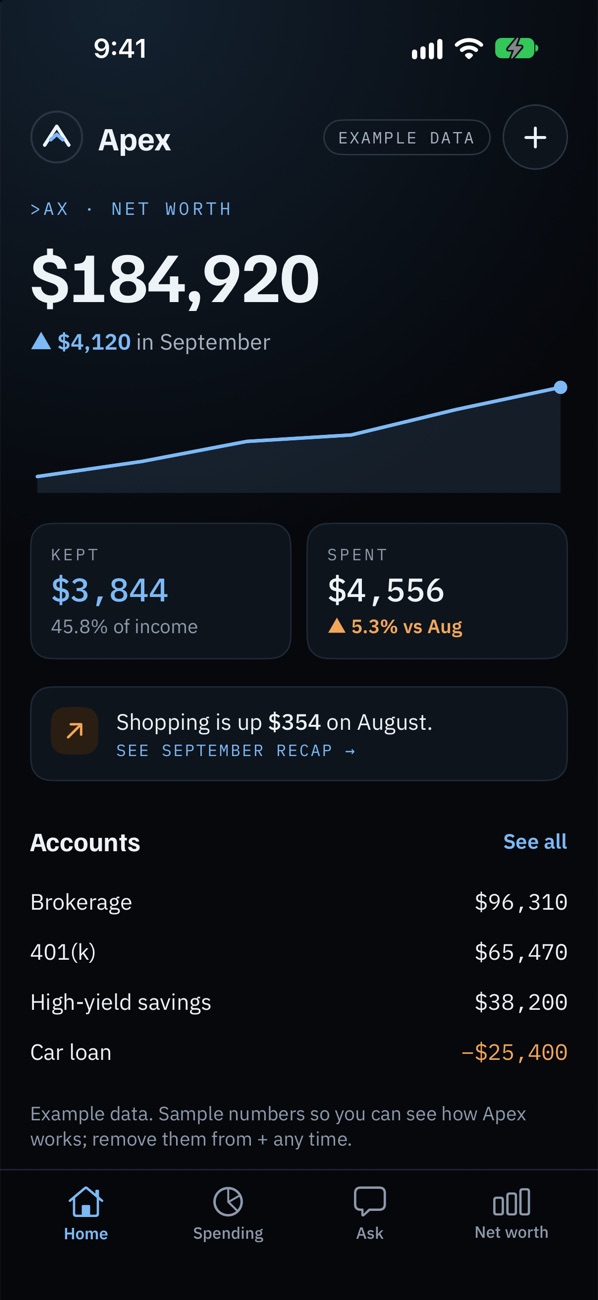
Shown with Apex’s example data, a made-up household. Example data is labeled wherever it appears in the app.
Apex works from files you already have. It never connects to your bank, so there’s no password to hand over.
Most bank and card websites can export your transactions. Download them as a CSV file, one month or a whole year.
Choose the file, or on the Mac drag it onto the window. Apex finds the date, description and amount columns and skips anything it already has.
Every transaction is sorted into a category. Your month comes back as a sentence, a few numbers and what changed since last month.
Apex tells you where your money went, what changed and what you’re worth, without a spreadsheet.
“You kept $3,844 of what you earned in September.” Then what changed since last month, and a four-card recap you can share.
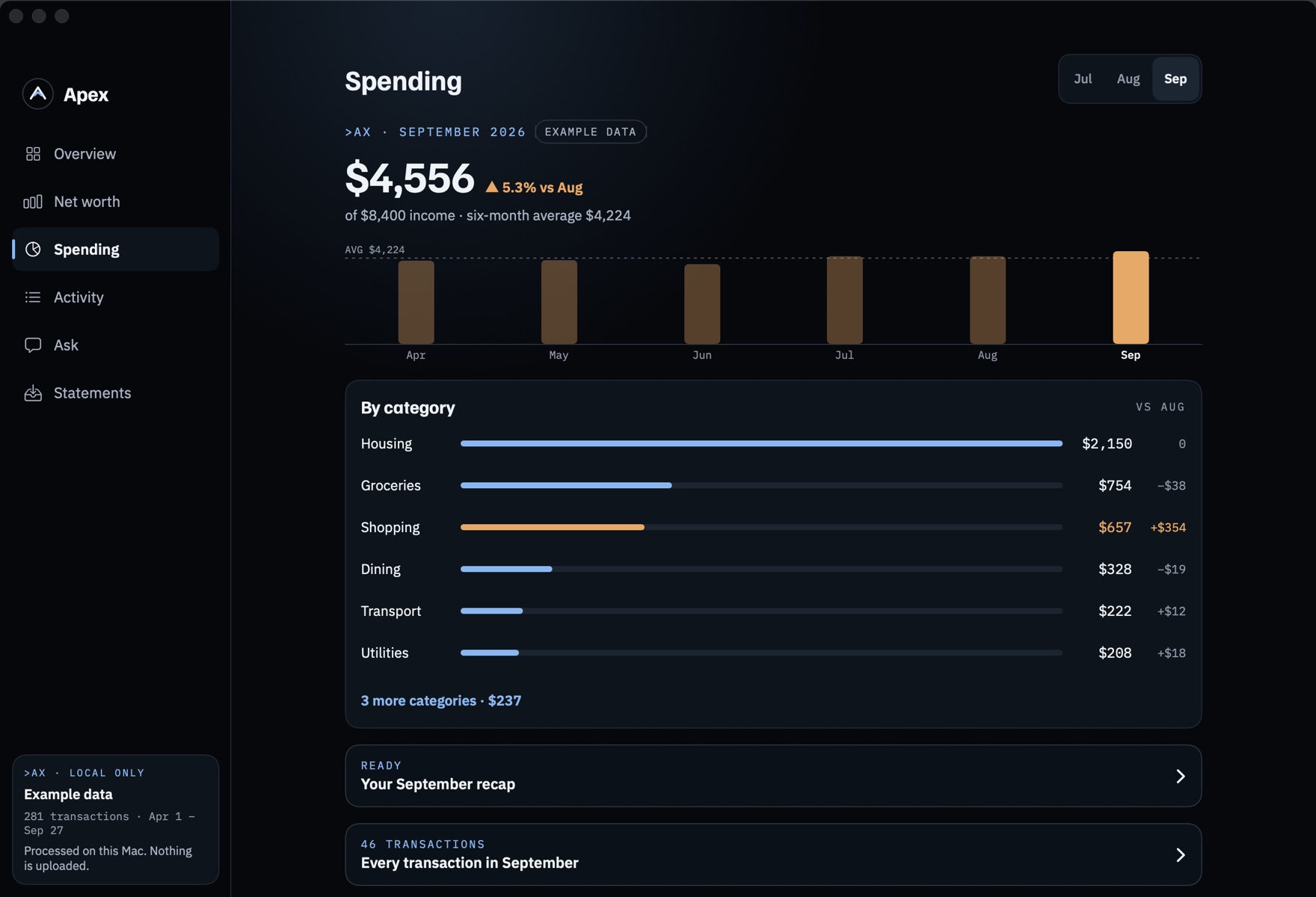
Each category against your own average, with the ones running high flagged. Recurring charges and subscriptions are found for you.
Accounts from your statements, plus the ones you keep up by hand: a loan, a 401(k), a house. Debts show their APR, due day and a projected payoff month.
“How much did I spend on dining since July?” Type it or say it. Apex answers from your own transactions, and totals say how many transactions they came from.
Fix a category once and Apex remembers it for that merchant. Add your own rules, rename merchants and leave notes on anything.
Export every transaction as a CSV whenever you like, or erase everything on the device in one step. Try it all first with example data.
Apex works out what your question is asking for, then does the arithmetic itself, in code, from your transactions. A language model never adds anything up.
Answers that sound like advice are marked “Informational, not financial advice”, because that’s what they are.
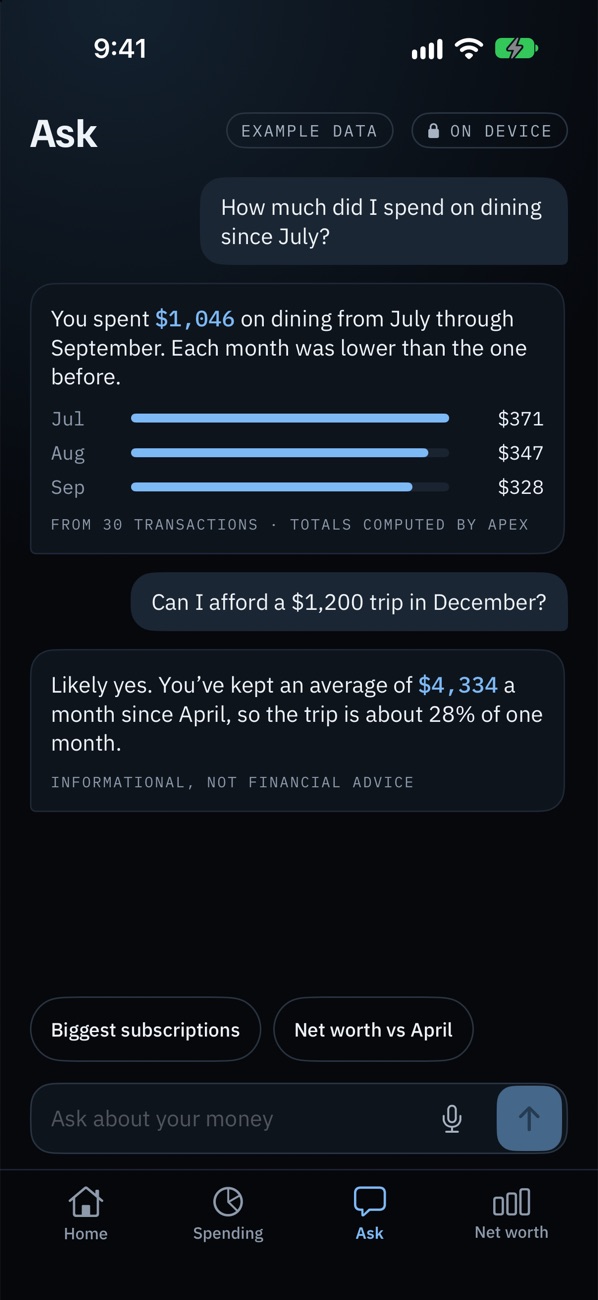
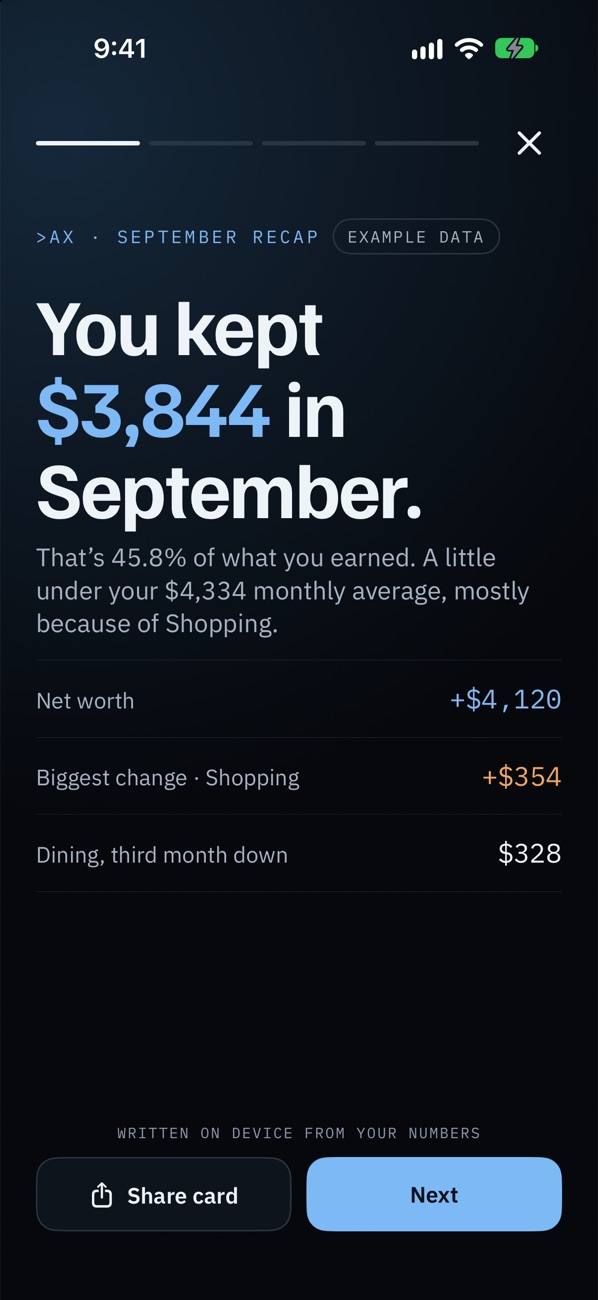
On iPhone, four tabs you can use with one thumb. On iPad and Mac, a full board with the month, your net worth and what changed side by side.
Home, Spending, Ask and Net worth, plus the month recap. Lock it with Face ID.
iOS 26 or laterA sidebar and the large Overview, in portrait or landscape.
iPadOS 26 or laterA native Mac app. Drag statements onto the window, lock with Touch ID, ⌘O to import.
macOS 26 or laterApex doesn’t collect any data. There’s no account, and the app makes no network requests at all. Read the privacy policy →

For iPhone, iPad and Mac. Write to us and we’ll let you know when it’s on the App Store, and nothing else.